
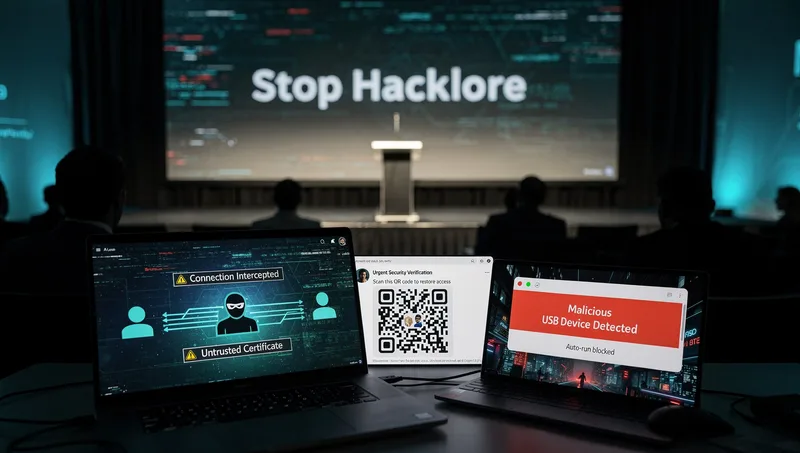
When Security Royalty Gets It Dangerously Wrong: Debunking the "Stop Hacklore" Letter
Or: Why I’m Tired of Mopping Up After the Advice These People Are Peddling
Pull up a chair. We need to talk about an open letter that’s making the rounds, signed by 86 security professionals including the former director of CISA. It’s called “Stop Hacklore!” and it’s supposed to dispel cybersecurity “myths.”
There’s just one problem: I’ve spent the last year cleaning up the mess from businesses who followed exactly this sort of advice.
The War Stories You Need to Hear
Let me tell you about three incidents that landed on my desk in the past 18 months. Real companies. Real breaches. Real consequences.
Case One: Manufacturing firm, 23 employees. Finance director accessed banking portal via hotel WiFi during trade show. No VPN. “Modern encryption keeps you safe,” she’d been told. Three days later, £47,000 gone. Credentials intercepted via man-in-the-middle attack. Insurance wouldn’t pay out because they’d ignored basic security hygiene. That director now explains to the board why they’re short this quarter.
Case Two: Professional services firm, 38 employees. HR manager scanned QR code in email about “updated benefits portal.” Looked legitimate. Came with PDF attachment. Twenty minutes later, their Microsoft 365 credentials were harvested, MFA token stolen in real-time, and the attackers were inside their environment. Cost to remediate: £89,000. Time to full recovery: six weeks. Lost client work: three major projects.
Case Three: Legal practice, 12 employees. Solicitor charged phone at airport using public USB port. Malware installed via compromised charging station. Ransomware deployed two weeks later after attackers pivoted through their network. Cost: £156,000 in ransom, remediation, and ICO fines. That solicitor now works somewhere else.
Now, let me introduce you to the people who claim these threats are “folklore.”
Meet the Security Elite
The “Stop Hacklore” initiative comes from 86 security professionals with impressive credentials. Former CISA director Jen Easterly. Former Yahoo CISO Bob Lord. Microsoft Deputy CISO Geoff Belknap. People who’ve forgotten more about security than most of us will ever know.
They’ve published an open letter targeting six pieces of security advice they claim are outdated:
-
Avoid public WiFi
-
Never scan QR codes
-
Never charge devices from public USB ports
-
Turn off Bluetooth and NFC
-
Regularly clear cookies
-
Regularly change passwords
Their argument? These are myths distracting from “real” security issues.
Here’s why they’re dangerously wrong about most of this.
Point One: Public WiFi Is Fine, They Say
Their Claim: “Large-scale compromises via public WiFi are exceedingly rare today. Modern products use encryption technologies to protect your traffic even on open networks. Personal VPN services offer little additional security.”
The Reality I See:
I just walked through the numbers with my insurance broker. Man-in-the-middle attacks accounted for 19% of successful cyberattacks in 2024. Not theoretical attacks. Actual compromises. The sort that trigger insurance claims and ICO notifications.
MITM-compromised emails have increased 35% since 2021. Zimperium has identified over 5 million publicly accessible Wi-Fi networks globally since the beginning of 2025. One third of users connect to these networks. Many use them for work.
The “HTTPS protects everything” argument is bollocks. Not all applications use HTTPS. DNS requests leak without DNS-over-HTTPS configured. Metadata about your browsing (what sites, when, how often) remains visible to network operators. And when attackers control the network, they can do things you won’t see in your browser’s little padlock icon.
What actually happens: Evil twin attacks, where criminals set up fake WiFi networks mimicking legitimate ones, and ARP spoofing. MAC address spoofing. Session hijacking via cookie interception. Captive portal exploitation for credential harvesting.
These aren’t theoretical. I’ve investigated them. I’ve helped businesses report them to Action Fraud. I’ve sat in meetings explaining how the breach occurred.
The manufacturing firm I mentioned? The attacker intercepted their banking session via a compromised hotel WiFi. Modern encryption and all. The hotel’s network had been compromised weeks earlier. Nobody knew. The finance director thought she was being careful by checking for HTTPS.
The VPN question: Stop Hacklore claims VPNs “offer little additional security.” This is where I stop being polite. VPNs encrypt all device traffic, not just web browsing. They prevent local network surveillance. They stop ISP/network operator tracking. For remote workers accessing company resources, they’re not optional; they’re essential.
Verdict: Dangerously wrong. Public WiFi attacks are documented, ongoing, and increasing. Anyone telling SMBs to skip VPNs is handing attackers an engraved invitation.
Point Two: QR Codes Are Safe, Apparently
Their Claim: “There is no evidence of widespread crime originating from QR-code scanning itself. The true risk is social engineering scams, which are mitigated by existing browser and OS protections.”
The Reality: Right. Tell that to Sophos.
In June 2024, Sophos (a major cybersecurity company, mind you) was successfully targeted via QR code phishing. Employee credentials and MFA tokens were harvested, the attacker relayed the token in real-time, and only internal controls prevented full breach. How? An employee scanned a malicious QR code from an email about benefits. Within minutes, credentials and MFA token were harvested. Attacker successfully relayed the stolen MFA token in real-time. Only internal controls prevented a full breach.
If it can happen to Sophos, what chance does your average SMB have?
The numbers are grim:
-
427% increase in quishing (QR code phishing) attacks in September 2023
-
QR code use in phishing rose from 0.8% in 2021 to 10.8% in 2024
-
Over 500,000 phishing emails with QR codes embedded in PDFs were detected in mid-2024
-
Nearly 2% of all scanned QR codes are malicious
-
Executives face 42 times more QR code attacks than regular employees
Why it works: QR codes bypass traditional email filters because there are no clickable links to scan. They’re embedded in PDF or JPEG attachments. They use legitimate redirect services (Google URLs, URL shorteners) to mask final destinations. And people scan them with personal mobile devices that lack the same protection as corporate systems.
The professional services firm I mentioned earlier? Classic quishing attack. PDF attachment with QR code. Looked completely legitimate. Referenced the employee by name. Used company branding. Twenty minutes from scan to compromise.
Average business loss from successful quishing attack: £1 million.
Verdict: Catastrophically wrong. Quishing is a documented, rapidly growing attack vector with verified breaches of security companies. Dismissing it as “no widespread evidence” while I’m cleaning up after these attacks is insulting.
Point Three: USB Charging Stations Are Harmless
Their Claim: “There are no verified cases of ‘juice jacking’ in the wild affecting everyday users. Modern devices prompt before enabling data transfer.”
Partial credit here: Traditional juice jacking cases are indeed rare in documented incidents. The LA County DA’s office admitted having “no cases” on their books despite issuing warnings.
But the threat evolved:
Researchers at Graz University of Technology demonstrated “ChoiceJacking” in 2025. They bypassed device protections using invisible keystroke injection that simulates pressing “Allow” buttons. Attack completes in 133-300 milliseconds on Android devices. The prompts mean nothing if attackers can click through them faster than humans can see.
Confirmed USB malware distribution in 2024-2025, specifically cryptocurrency mining malware. The UNC4990 hacking group is systematically spreading malware through USB-based attacks. An iPhone USB-C port vulnerability was discovered in January 2025.
The legal practice I mentioned? Compromised charging station at the airport. Took two weeks for the ransomware to deploy. By then, the attacker had mapped their entire network.
The precautionary principle: Even if widespread juice jacking is rare, why risk it? Carrying your own charger costs nothing. Using a USB data blocker costs £5. The asymmetry of risk versus mitigation makes this a no-brainer.
Government warnings from the FBI, TSA, FCC, and UK authorities aren’t issued casually. These agencies have access to threat intelligence we don’t see publicly.
Verdict: Technically accurate about rarity but incomplete. The advice to carry your own charger remains sound. When mitigation is free, and risk is real (if uncommon), defence in depth wins.
Point Four: Bluetooth and NFC
Their Claim: “Wireless exploits in the wild are extraordinarily rare and typically require specialized hardware, physical proximity, and unpatched devices.”
My Take: They’re mostly right here. Sophisticated Bluetooth attacks are uncommon for average users.
But that’s not the point. Attack surface reduction is fundamental security hygiene. Turning off unused services follows least-privilege principles. It also saves battery life and reduces location tracking vectors.
Is it critical? No. Is it sensible? Yes.
This is defence in depth. Multiple layers of protection because no single control is perfect. Dismissing it as unnecessary paranoia misses the point of layered security.
Point Five: Cookie Clearing
Their Claim: “Clearing cookies doesn’t meaningfully improve security or stop modern tracking.”
Reality: They’re technically correct. Modern tracking extends beyond cookies. Browser fingerprinting, canvas fingerprinting, and other techniques persist.
But they’ve confused security with privacy. Cookie clearing has legitimate privacy benefits even if it doesn’t stop all tracking. It helps with session management, reduces some tracking, and assists with troubleshooting authentication issues.
Minor point. Not worth the fight.
Point Six: Password Rotation (Where They’re Right)
Their Claim: “Frequent password changes were once common advice, but there is no evidence it reduces crime, and it often leads to weaker passwords.”
My Take: They’re correct here. NIST Special Publication 800-63-4 (updated August 2024) now recommends eliminating mandatory periodic password changes. Research showed forced regular changes led to predictable patterns (Password1, Password2, Password3), weaker passwords overall, and increased reuse across services.
NIST now says: focus on password length (15+ characters), use password managers, screen against compromised password databases, and change passwords only when compromise is suspected or confirmed.
Critical caveat: This only works with proper MFA. Not SMS-based MFA, which can be intercepted. Not email-based MFA, which is only as secure as the email account. I mean proper cryptographic MFA using authenticator apps, hardware tokens, or passkeys.
Passwords must still change immediately after confirmed breaches, suspected compromises, or when sharing is detected. The letter’s phrasing could discourage this necessary hygiene.
Verdict: Correct, but only in context of proper MFA implementation. Without MFA, periodic changes remain necessary evil.
The Fundamental Problem: Strawman Arguments
Here’s what annoys me about Stop Hacklore. They systematically misrepresent security advice to make it easier to attack.
Security professionals actually say:
-
“Public WiFi carries elevated risk; use VPN for sensitive transactions”
-
“Verify QR code sources; be cautious with unknown codes”
-
“Carry your own charger when travelling”
-
“Disable unused services to reduce attack surface”
Stop Hacklore claims we say:
-
“ALL public WiFi will hack you”
-
“NEVER scan ANY QR codes”
-
“ALL public USB ports are malicious”
-
“Turn off everything always”
By attacking absolutist positions nobody actually holds, they dismiss proportionate, defence-in-depth security practices.
This is intellectually dishonest. And it’s dangerous.
The Elite Bubble Problem
Here’s what really grinds my gears about this letter. The signatories operate in environments with:
-
Enterprise-grade endpoint protection
-
MDM (Mobile Device Management) on all devices
-
24/7 SOC monitoring
-
Advanced threat intelligence
-
Unlimited security budgets
-
Teams of security professionals
They’ve forgotten what it’s like to be a 15-person accountancy practice in Horsham trying to figure out if they can afford Cyber Essentials certification while keeping the lights on.
For SMBs without these luxuries, defence in depth isn’t folklore. It’s survival.
The Stop Hacklore letter provides convenient ammunition for cost-cutting executives:
-
CFO: “Do we really need these VPNs? Former CISA director says they’re unnecessary.”
-
Board: “QR code training? Experts say there’s no real threat.”
-
Finance Director: “USB security policies? No verified cases apparently.”
-
CEO: “Great! Security budget reduced by 40%. Well done everyone.”
Six months later, I’m in their office explaining how the breach occurred and why their insurance won’t pay out because they ignored basic security hygiene.
What UK SMBs Should Actually Do
Forget the letter. Here’s what keeps you off the ICO breach register:
Public WiFi Protocol:
-
Use VPN for all work-related activities
-
Verify network names with venue staff
-
No sensitive transactions on public networks
-
Enable “always-on” VPN for remote workers
-
Budget £5-15 per user per month
-
Non-negotiable for anyone handling customer data
QR Code Security:
-
Security awareness training on quishing (quarterly minimum)
-
Verify sender before scanning codes in emails
-
Check URL destinations carefully before entering credentials
-
Email filtering that scans PDF attachments for QR codes
-
Report suspicious codes immediately
-
One incident avoided pays for years of training
USB Charging Policy:
-
Issue power banks to travelling employees
-
Provide USB data blockers (“USB condoms”) at £5 each
-
Company policy against unknown USB ports for work devices
-
Include in onboarding and travel policies
-
Costs pennies, prevents disasters
Password Hygiene (with proper MFA):
-
Implement password managers (company-wide)
-
Screen against breach databases
-
Immediate changes after suspected compromise
-
Focus on length (15+ characters) over complexity
-
Enable MFA everywhere possible (authenticator apps or hardware tokens, not SMS)
-
This is the one area where Stop Hacklore gets it right
General Security Hygiene:
-
Disable unused services (attack surface reduction)
-
Keep software updated (automated patching where possible)
-
Security awareness training (ongoing, not annual tick-box)
-
Incident response plan (tested regularly)
-
Cyber Essentials as minimum (CE+ for anyone handling sensitive data)
The Bigger Picture: Accountability Matters
This letter bothers me because it exemplifies a deeper problem in our industry. Security professionals with impressive credentials providing advice that’s optimised for their environment, not yours.
They operate in organisations where if something goes wrong, there are 15 other controls that catch it. You don’t have that luxury.
When a breach happens at their organisations, it’s a board presentation and a lessons-learned document. When a breach happens at your organisation, it’s personal liability under GDPR, ICO investigations, customer notifications, potential criminal charges, and explaining to your bank why you need an emergency loan.
The Cyber Security and Resilience Bill currently working through Parliament deliberately excludes director liability despite EU precedent. This letter provides intellectual cover for that exclusion. “Expert security professionals say these precautions are unnecessary folklore.”
Meanwhile, I’m the one cleaning up after the breaches that result from following this advice.
What Mandiant Actually Says
While we’re discussing expert advice, let’s look at what Mandiant’s M-Trends 2025 report actually says about the current threat landscape:
-
Credential-based attacks are now the primary attack vector (48% of intrusions)
-
Median dwell time: 10 days
-
Attackers increasingly use legitimate credentials obtained via phishing
-
Public WiFi, phishing (including quishing), and compromised devices remain effective entry points
Notice something? The threats Stop Hacklore dismisses are exactly the vectors Mandiant documents as actively exploited.
I’ll trust the organisation investigating actual breaches over the people who haven’t seen one in years because their defences are so layered they wouldn’t notice.
Final Thoughts
The Stop Hacklore letter is security theatre in reverse. Instead of visible security measures that don’t work, it’s dismissing visible security measures that do work to make budgets look better.
Some of their points have merit. Password rotation is outdated (with proper MFA). Juice jacking is genuinely rare (but cheap to prevent).
But public WiFi attacks? I’ve cleaned up after them. QR code phishing? Currently handling two active incidents. USB malware? Saw one this quarter.
These aren’t folklore. They’re what I deal with every bloody week.
The credentials of the signatories don’t make them right. And SMBs dismissing basic security hygiene on their advice will learn this the expensive way.
The Advice That Actually Works
Stick to the boring basics:
-
VPNs for public networks
-
Caution with QR codes
-
Your own chargers and cables
-
Password managers and proper MFA
-
Defence in depth
They’re not folklore. They’re what keeps your name off the ICO breach register and me off your emergency contact list.
Choose wisely.