
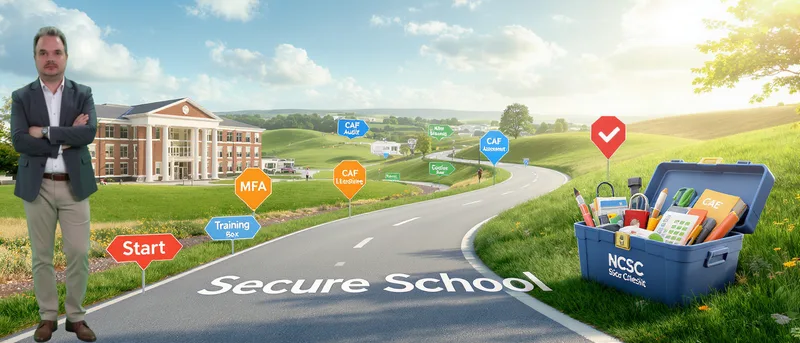
Resources and Practical Steps - What Schools Can Actually Do Right Now
This is part 4 of our week-long series based on The Small Business Cybersecurity Guy podcast. - Authentrend sponsors this episode.
Moving from Awareness to Action
We’ve covered the Kido breach, the 2025 safeguarding guidance, and the MFA reality check. Now it’s time for the practical question: what should schools actually do? Where do they start?
The good news: You don’t need enterprise-grade SIEM solutions. You need practical, accessible guidance written specifically for schools with no IT budget and maybe one part-time technician.
Start with the NCSC Cyber Assessment Framework
The National Cyber Security Centre has created the Cyber Assessment Framework (CAF) specifically for small businesses and schools. It’s guidance and best practice written in accessible language, not technical jargon.
As one cybersecurity expert noted: “Yes, the NCSC, National Cyber Security Centre, has created the Cyber Assessment Framework specifically for small businesses and schools. It’s guidance and best practice written in accessible language, not technical jargon. Mauven, did you use this framework in your former life?”
The CAF is brilliant. It’s designed to be practical. Not “implement enterprise-grade SIEM solutions,” more like “here’s how to think about security at your scale.” It’s exactly what small organizations need.
The Essential Elements
The CAF encompasses aspects such as user access control, incident management, and supply chain security. And it’s free. A school business manager can work through it, though you’ll probably need IT support to actually implement the recommendations.
What the CAF Covers:
-
User access control
-
Incident management
-
Supply chain security
-
Risk assessment
-
Asset management
-
Security monitoring
Exactly. It encompasses aspects such as user access control, incident management, and supply chain security. And it’s free. A school business manager can work through it, though you’ll probably need IT support to actually implement the recommendations.
What About the MFA Problem?
Schools that are struggling with phone-based authentication should discuss alternatives with their IT provider: hardware tokens, authenticator apps on shared devices. There are solutions, but you need to actively ask for them. Don’t let the phone rule be an excuse for not having MFA enabled. If it’s not set for everyone with system access, you’re not protected.
For the phone policy conflict, FIDO2-certified hardware security keys offer an elegant solution. These small devices (available from providers like Authentrend, Yubico, and others) work without phones, can be worn on lanyards, and satisfy both security and safeguarding requirements. They’re often more user-friendly than phone-based MFA for staff who aren’t tech-savvy.
As one expert emphasized: “Schools that are struggling with phone-based authentication? Tammy, you work with schools on this every day. Discuss alternatives with your IT provider: hardware tokens, authenticator apps on shared devices. There are solutions, but you need to actively ask for them. Don’t let the phone rule be an excuse for not having MFA enabled. If it’s not set for everyone with system access, you’re not protected.”
The GitHub Audit Issue
And the GitHub issue? How do schools check if they have any possible exposed code repositories?
Step-by-Step GitHub Audit:
-
Begin by identifying any custom software you currently use - The easy way is that if two elements or applications seem to be talking to each other, and the fact that they can is not a documented feature, then you probably have built in several scanning for public repositories.
-
Use GitHub’s search functionality - Doesn’t cost anything. You just need to know how to look. Which is why schools need to audit everything. Every platform, every integration, every custom script. Everything that touches children’s data.
-
Look for organizational repositories - Search for your school or organization name.
-
Check personal accounts - Former staff may have created repositories under personal accounts that still contain school credentials.
-
Examine third-party applications - Middleware solutions could be a 3rd party application you are paying for, in which case there should be a paper trail (invoices etc) or maybe custom code. If it’s custom code, someone wrote it, which means there should be a paper trail (an invoice or a maybe custom code).
It’s Overwhelming, Mauven. Which is Why I Keep Saying This Needs to Be Statutory with Proper Funding
Until it’s Ofsted-ed or explicitly required by law with consequences, it’ll remain optional in practice for many schools. The safeguarding link gives us hope, but it needs to be enforced. And schools cannot ignore safeguarding.
But the safeguarding link gives us weight now. It does. And I’m hoping that will be the turning point. Because schools cannot ignore safeguarding.
What Parents Should Be Asking
Parents now have legitimate safeguarding grounds to ask schools direct questions about cybersecurity. These aren’t invasive IT audits. These are reasonable safeguarding questions:
Questions Parents Can Ask:
-
Do you have MFA enabled for everyone? How will do staff get cybersecurity training?
-
Do you have any custom software? If so, where is the code stored?
-
Where is your incident response plan, and when was it last tested?
They might not like those questions, but they need to hear them. Because the alternative is being the next Kido, and nobody wants that. And now that cyber is officially part of safeguarding, parents have every right to ask these questions.
The Small Wins Matter
Final thought? And maybe ask your child’s school what security they actually have in place. These aren’t technical questions. They’re safeguarding questions now.
[Final thought] And maybe ask your child’s school what security they actually have in place. Please don’t wait for them to be the next headline.
Practical Implementation Roadmap
Month 1: Assessment
-
Download the NCSC Cyber Assessment Framework
-
Conduct a GitHub repository audit
-
Document all custom software and integrations
-
Survey current MFA implementation
Month 2: Quick Wins
-
Enable MFA for all users (no exceptions)
-
Rotate all credentials organization-wide
-
Remove or document all custom code
-
Update incident response plan
Month 3: Governance
-
Add cybersecurity to safeguarding meeting agendas
-
Ensure governors understand their responsibilities
-
Verify IT provider is meeting standards
-
Begin staff training on security awareness
Ongoing:
-
Regular credential rotation (quarterly minimum)
-
Annual security audits
-
Continuous staff training
-
Monitor for new vulnerabilities
The Resources You Actually Need
Free Government Resources:
- NCSC Cyber Assessment Framework - ncsc.gov.uk/collection/caf
The foundation for school cybersecurity
-
Written for non-technical audiences
-
Practical, actionable guidance
-
Keeping Children Safe in Education 2025 - gov.uk/government/publications/keeping-children-safe-in-education—2
Paragraph 144 on cybersecurity standards
-
Links to filtering and monitoring guidance
-
Digital standards references
-
Plan Technology for Your School - Available via gov.uk
Self-assessment service
-
Personalized recommendations
-
Helps meet digital and technology standards
-
DIE Digital Standards - Search for webinars and training
Regular updates on requirements
- Practical implementation guidance
Data Protection Education Resources:
For anyone who wants to get in touch with Tammy or Data Protection Education:
-
LinkedIn: search for Tammy Buchanan, Data Protection Education
-
Website: has a LinkedIn page where articles and resources are published
-
DIE Digital Standards webinars: explaining the standards in simple terms and how schools can track progress
Additional Support:
-
Visit the blog at thesmallbusinesscybersecurityguy.co.uk for more resources
-
Full breakdown of the repository screenshot and Tammy’s key points
-
Changes to the safeguarding guidance details
It’s Not as Expensive as You Think
Here’s what many schools don’t realize: Most of these recommendations don’t require massive budgets. The NCSC guidance is free. MFA is often included in existing licenses. Credential rotation costs nothing but time.
The expensive part is if you don’t do these things and suffer a breach. Then you’re looking at:
-
ICO fines
-
Reputation damage
-
Legal costs
-
Recovery expenses
-
Lost trust from parents
Prevention is always cheaper than cure, especially in cybersecurity.
The Bottom Line
Schools have the resources. They have the guidance. What’s needed now is the will to implement it and the understanding that cybersecurity is no longer optional. It’s safeguarding, it’s statutory, and it’s essential.
Start with the CAF. Enable MFA for everyone. Audit your GitHub. Ask the hard questions. And most importantly, don’t wait for the next headline to prove why this matters.
Key Takeaways
-
The NCSC Cyber Assessment Framework is free and designed specifically for schools
-
Start with quick wins: MFA for everyone, credential rotation, GitHub audits
-
Parents can now ask cybersecurity questions as legitimate safeguarding concerns
-
Most recommendations don’t require massive budgets, just implementation
-
The cost of prevention is always less than the cost of a breach
Sources
| Source | Title | Date |
|---|---|---|
| National Cyber Security Centre | Cyber Assessment Framework | October 2025 |
| UK Department for Education | Plan technology for your school | September 2024 |
| UK Department for Education | Keeping Children Safe in Education 2025 | October 2025 |
| Data Protection Education | Tammy Buchanan - LinkedIn Profile | October 2025 |
| UK Department for Education | DIE Digital Standards | October 2025 |
| GitHub | GitHub Repository Search | October 2025 |
| National Cyber Security Centre | NCSC Training Resources | October 2025 |